

Configure webhooks
July 30, 2026
Configure FlowAlp Pay webhooks: dashboard setup, content types, retry schedule, 20-second timeout, idempotent processing and secure order confirmation.
Webhooks are POST notifications FlowAlp Pay sends to your backend whenever the status of a transaction or subscription changes; processed payouts trigger notifications as well. They are the reliable way to keep your orders in sync — the browser redirect after checkout is not.
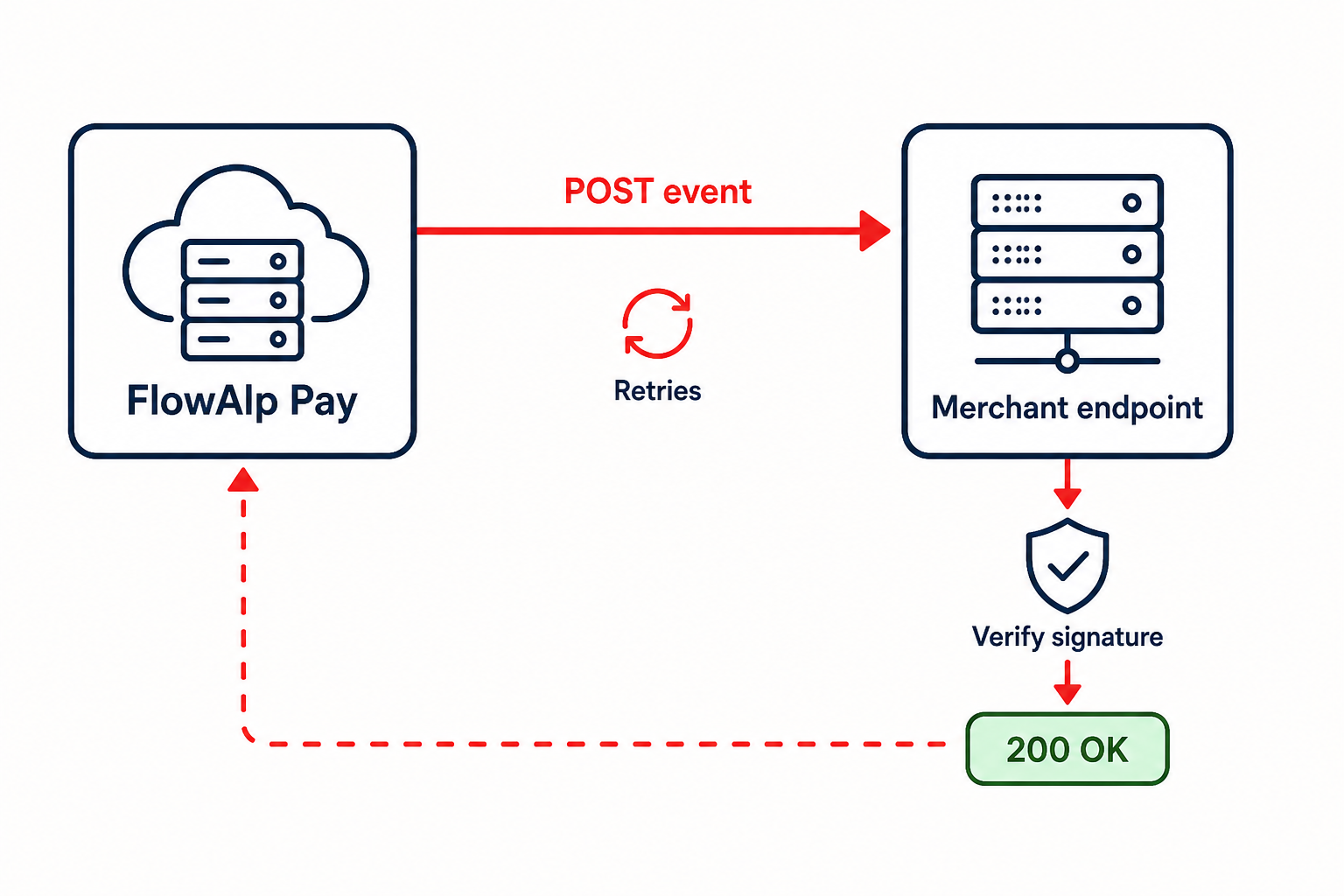
Create a webhook in the dashboard
Sign in to your dashboard at https://pay.flowalp.com and open the Webhooks section. For each webhook you provide:
- A publicly reachable HTTPS URL (or IP address) that receives and processes the data
- Whether failed deliveries should be retried
- The content type of the payload
| Content type | Header value | When to choose it |
|---|---|---|
| JSON | application/json | Recommended for practically every stack |
| Normal (PHP-Post) | application/x-www-form-urlencoded | Classic form-style processing, e.g. plain $_POST handling |
Retries and timeout
With retry enabled, delivery is attempted up to 10 times until your endpoint answers successfully:
| Attempt | When it fires |
|---|---|
| 1 | As soon as possible — at most 1 to 1.5 minutes after the first synchronous attempt |
| 2 | 15 minutes after the previous attempt |
| 3 | 1 hour after the previous attempt |
| 4 | 2 hours after the previous attempt |
| 5 | 4 hours after the previous attempt |
| 6–10 | Every 24 hours after the previous attempt |
Your endpoint must respond within 20 seconds, otherwise the request times out and the log shows HTTP status 0 with a timeout message. Answer immediately with 200 and defer heavy work to a queue.
Webhook settings of shop integrations
When you activate an e-commerce integration in the dashboard (for example WooCommerce), the integration registers its own webhook towards your shop and brings its own retry option with intervals of 5 minutes, 15 minutes, 1 hour, 2 hours, 4 hours and then every 24 hours. Enter the shop URL exactly — a scheme mismatch such as http:// instead of https://, or a missing subdirectory, breaks webhook processing.
Use webhooks to confirm a checkout
- Create the Gateway and store its ID together with your
referenceId. - Receive the webhook when the status changes — see events and payloads.
- Verify the signature before touching any order state.
- Match the event to the expected order via
referenceId(or the payment link ID in the invoice data). - Retrieve the transaction through the API if your risk model requires a second source.
- Only then mark the order as paid and fulfil it.
Never use the browser redirect to the success page as the only payment confirmation — customers can close the browser mid-flow, and URLs can be called directly.
Respond correctly and stay idempotent
- Reply with a
2xxstatus within 20 seconds; anything else counts as a failed delivery and triggers retries when enabled. - The same event can arrive more than once — deduplicate on transaction ID plus status before acting.
- Process events asynchronously and keep a log of received payloads and outcomes for audits.
Security checklist
- Expose a dedicated webhook endpoint, not a general-purpose route.
- Serve it over HTTPS only.
- Verify webhook signatures and reject invalid ones with a non-2xx response.
- Do not write secrets or full payloads into general application logs.
Next step: study the event types and payloads you will receive, then set up signature verification.