

Checkout embedding overview
July 30, 2026
Compare FlowAlp Pay checkout embedding options: redirect, iFrame, modal window and mobile apps, with guidance on choosing the right one.
Once you have created a Gateway through the Merchant API or set up a payment page in the dashboard, you decide how your customers see the FlowAlp Pay checkout. Four presentation modes are available: a full-page redirect, an embedded iFrame, a modal window, and an in-app flow for mobile applications.
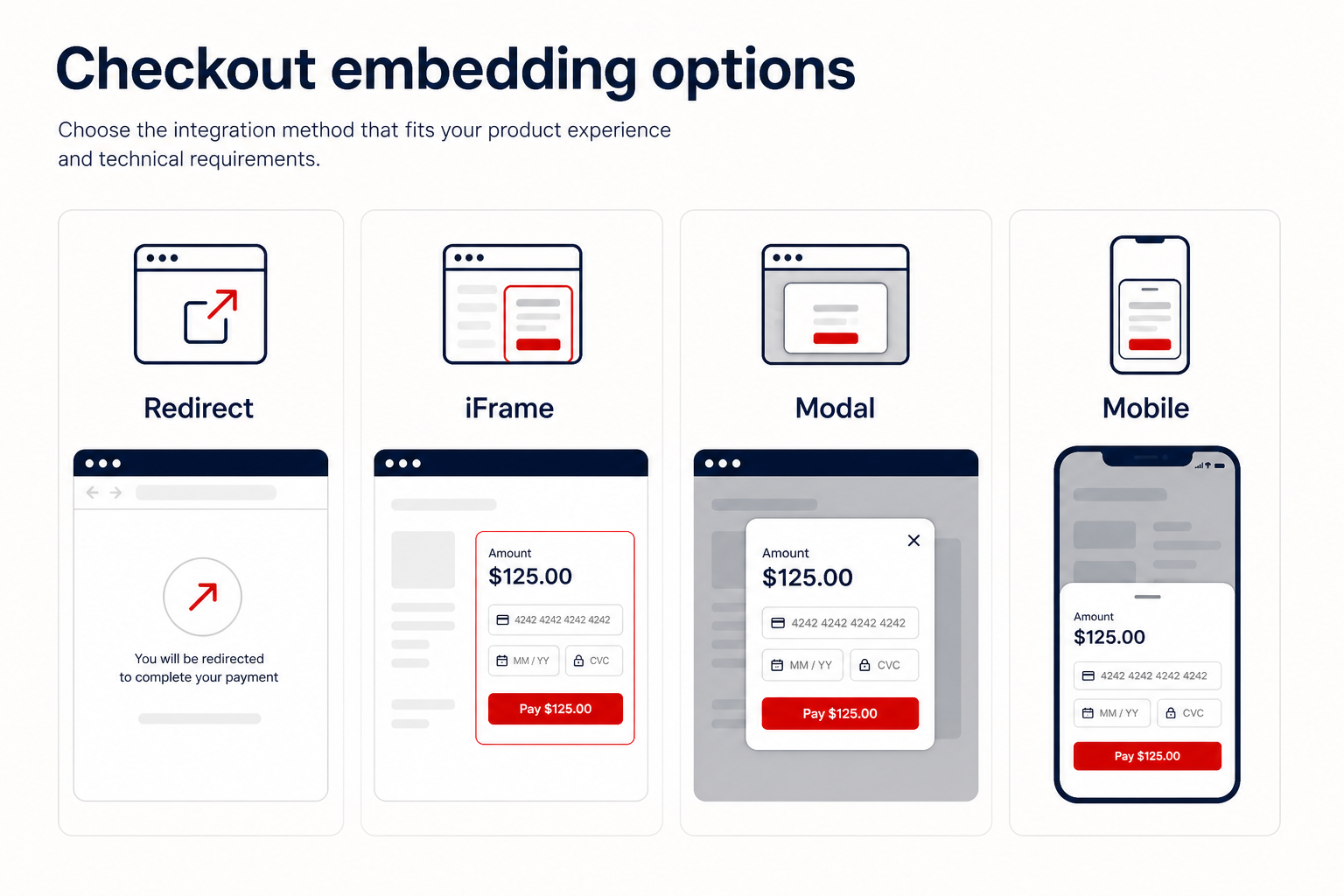
The four options
Redirect sends the customer to the hosted payment page at https://<instance>.pay.flowalp.com and returns them to your success, failed or cancel URL afterwards. It is the most robust choice and the recommended default for API integrations, because every payment method runs in its native environment.
iFrame embedding renders the payment form inside your own page layout — a good fit for marketing sites and tools where the checkout should feel like part of the page.
The modal window opens the form in an overlay, so the customer never leaves your site. Technically it behaves like an iFrame with a ready-made frame around it.
Mobile app integration loads the payment page in a WebView or in-app browser and hands the result back to your app through events and deep links.
Comparison
| Mode | Customer experience | Best for | Watch out for |
|---|---|---|---|
| Redirect | Leaves your site temporarily, returns via redirect URLs | API integrations, shop plugins, most production checkouts | The return alone does not prove payment — confirm server-side |
| iFrame | Form embedded in your page layout | Landing pages, marketing sites, dashboards | Some payment methods refuse to run inside frames |
| Modal window | Overlay on your page, the site stays visible | Short checkouts triggered by a button | Same payment-method restrictions as the iFrame |
| Mobile apps | WebView or in-app browser inside your app | Native iOS and Android or hybrid apps | Needs deep links for a clean return trip |
Payment method restrictions in embedded modes
Not every payment method may run inside an iFrame or modal window. PayPal and Coinbase refuse embedded contexts entirely, and PostFinance is disabled when the browser blocks third-party cookies (the default on iOS and macOS). Google Pay only works when the frame carries the allow="payment *" attribute.
If an affected method must stay available, append &breakIframe=true to the embedded URL: the external payment page then opens in a new browser tab instead.
How to choose
- You build against the Merchant API and want maximum compatibility: use the redirect.
- You embed a payment page or donation form into an existing site: use the iFrame.
- You want a quick checkout without leaving the page: use the modal window.
- You ship a native or hybrid app: follow the mobile integration guide.
Confirm payments server-side
Whichever mode you pick, the success screen or redirect is only a UI signal. Always confirm the final state through webhooks — ideally with signature verification — or by retrieving the transaction through the API before you fulfil an order.
Next step: create a Gateway, then wire up the presentation mode of your choice — the iFrame guide is a good place to start.